Transform Your Etsy Shop with 1000+ Canva Templates
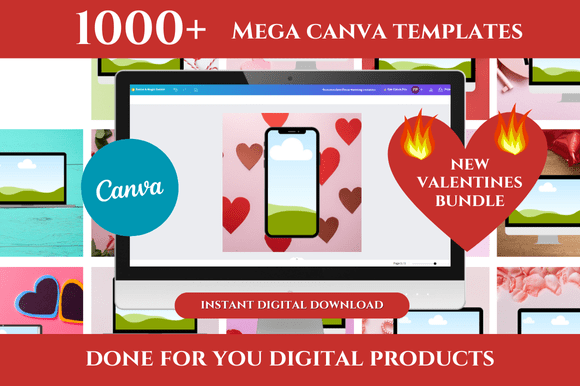
Running a successful Etsy shop means wearing a dozen hats at once—photographer, copywriter, customer service rep, and designer. The design part often falls to the bottom of the list because creating cohesive, professional-looking graphics from scratch eats up hours you simply don't have. That's exactly where the 1000+ Mega Canva Templates Bundle steps in, offering a massive library of ready-made templates designed specifically for Etsy sellers who want polished visuals without the steep learning curve.
What's Actually Inside This Bundle
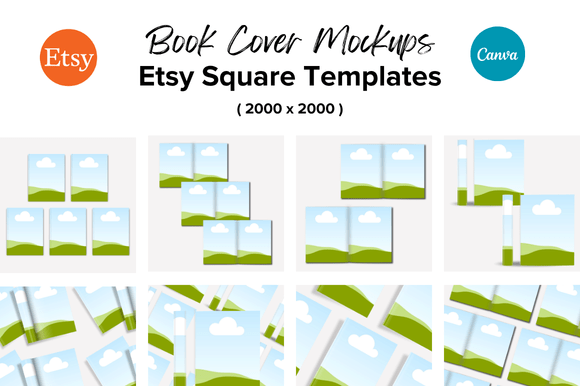
Let's get specific about what you're working with. This collection includes over 1000 templates spanning Etsy listing mockups, thank you pages, and Pinterest pin templates. Every single one opens directly in Canva through a link, which means you're not downloading massive files or wrestling with complicated software. You click, it opens, and you start customizing.
The visual style leans clean and modern—think generous white space, balanced compositions, and typography that reads well at any size. These aren't cluttered, over-designed layouts that fight with your product photos. Instead, they function as a framework that lets your actual products take center stage. The mockup templates use neutral backgrounds and simple geometric shapes, which makes them versatile enough for handmade jewelry, digital planners, printable wall art, or vintage clothing.
What stands out is the attention to visual hierarchy. Each template guides the viewer's eye from your product image to your key selling points to your call to action. That kind of intentional structure usually requires a trained designer, but these templates bake it in for you.
Why Etsy Sellers Need Consistent Branding
Here's something most shop owners underestimate: consistency across your listings, thank you pages, and social media builds trust faster than any single beautiful graphic. When a customer clicks from your Pinterest pin to your Etsy listing and everything feels connected—the same color palette, similar layout proportions, matching typography style—they perceive your shop as established and professional. That perception directly influences whether they hit "Add to Cart."
The 1000+ Mega Canva Templates Bundle makes this kind of brand consistency achievable even if you've never taken a design course. Because all the templates share a cohesive design language, mixing and matching across different formats still produces a unified look. Your Etsy banner complements your listing mockups, which complement your thank you page, which complements your Pinterest graphics.
This matters for brand identity in a real, measurable way. Shops with cohesive visuals tend to get more saves, more shares, and repeat customers who recognize them instantly in a crowded search results page.
Practical Applications Beyond Etsy
While these templates were built with Etsy sellers in mind, their usefulness extends well beyond one platform. If you sell on your own website, the listing mockup templates work beautifully for web design product pages. Bloggers can repurpose the Pinterest templates for any kind of content promotion. Small business owners running Instagram shops will find the square formats ready-made for social media graphics.
The Canva templates are fully customizable, which means you can adjust colors, swap fonts, move elements around, and drop in your own photography or product images. If your brand uses a specific serif font for headings and a clean sans serif for body text, you can apply that pairing across every template in minutes. This flexibility is what separates a useful design asset from a rigid one you outgrow after a week.
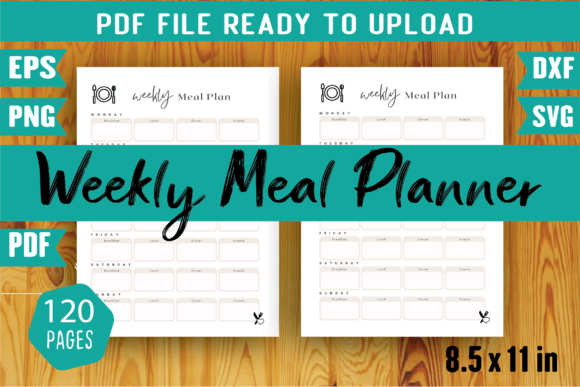
For those creating digital products—planners, journals, worksheets, invitations—these mockup templates give you professional product presentation without hiring a photographer or learning 3D rendering software. A flat PDF looks entirely different when placed inside a thoughtfully designed mockup frame with shadows and context.
How to Evaluate If This Bundle Fits Your Workflow
Before diving in, consider a few practical questions. First, do you already use Canva? If so, the learning curve is essentially zero. If not, Canva's free tier handles most of what these templates need, though the Pro version unlocks additional fonts and features.
Second, think about your current design bottlenecks. Are you spending two hours crafting each listing image? Are your Pinterest graphics inconsistent because you redesign them every time? Do your thank you pages look generic? The bundle addresses all three of these pain points directly.
Third, look at the specific styles included. The templates favor a modern typography aesthetic—clean lines, contemporary font choices, minimal ornamentation. If your brand skews ultra-whimsical or heavily vintage, you'll want to customize more aggressively. But the underlying layouts are solid enough to support almost any aesthetic direction through color and font adjustments.
Maximizing Your Time Savings
The real value of a template bundle this size isn't just having options—it's having a system. Here's how experienced sellers typically work with these assets:
- Start with your best-selling product. Create one listing mockup you love, then duplicate and adapt it for related items. This builds visual cohesion across your shop categories.
- Batch your design work. Instead of creating graphics one at a time as you list products, set aside an afternoon and knock out ten listings at once using the templates. Your future self will thank you.
- Customize once, reuse forever. Lock in your brand colors, your preferred font pairings, and your logo placement. Save your customized versions as new templates inside Canva so every future project starts from your branded foundation.
- Use the Pinterest templates strategically. Each Etsy listing should have at least two corresponding Pinterest pins. The included Pinterest templates make this sustainable rather than aspirational.
The Bonus Freebies and What They Add
Beyond the core Etsy listing templates, the bundle includes bonus freebies that round out the package. These extras often include additional thank you page variations, seasonal design elements, or supplementary social media formats. Think of them as the finishing touches that help you maintain a professional presence even in small customer interactions—like the post-purchase thank you page that encourages reviews and repeat visits.
Final Thoughts on Getting Started
Design shouldn't be the thing holding your shop back. The 1000+ Mega Canva Templates Bundle gives you a professional starting point that respects both your time and your brand's individuality. The templates provide structure and polish while leaving room for the personal touches that make your shop uniquely yours.
Start with the areas where you feel weakest—maybe that's your listing images or your Pinterest presence—and build from there. Within a few focused sessions, you'll have a library of branded assets ready to deploy whenever you add new products. That kind of preparation turns design from a recurring headache into a solved problem, freeing you to focus on what actually grows your business.